Dmitry Grenev

Evrone Career

Internal employee product for career, finance, benefits, time off, events, profile, and support workflows.

The interface gives routine employee operations one dashboard: cards show the current state, focused panels open details and requests, and the same component model works across desktop and narrow layouts.

Status

Release

Role

Product Designer

Domain

Internal Tools, Employee Platform

Product model

The product model starts with an employee dashboard that gathers everyday work around money, role, benefits, time off, events, profile data, and service requests.

The dashboard does not try to expose every form at once. It shows the state first, then opens a focused panel when the employee needs details, history, confirmation, or a request.

1.1

Dashboard

The main screen is a self-service entry point for the employee.

The dashboard is split into finance and work areas. Finance cards show payouts, balance, reimbursements, and benefits. Work cards show role, salary changes, achievements, hours, paid project context, events, and day-off actions.

Each card answers three questions before opening a deeper flow: what is the current state, what changed, and what action is available now.
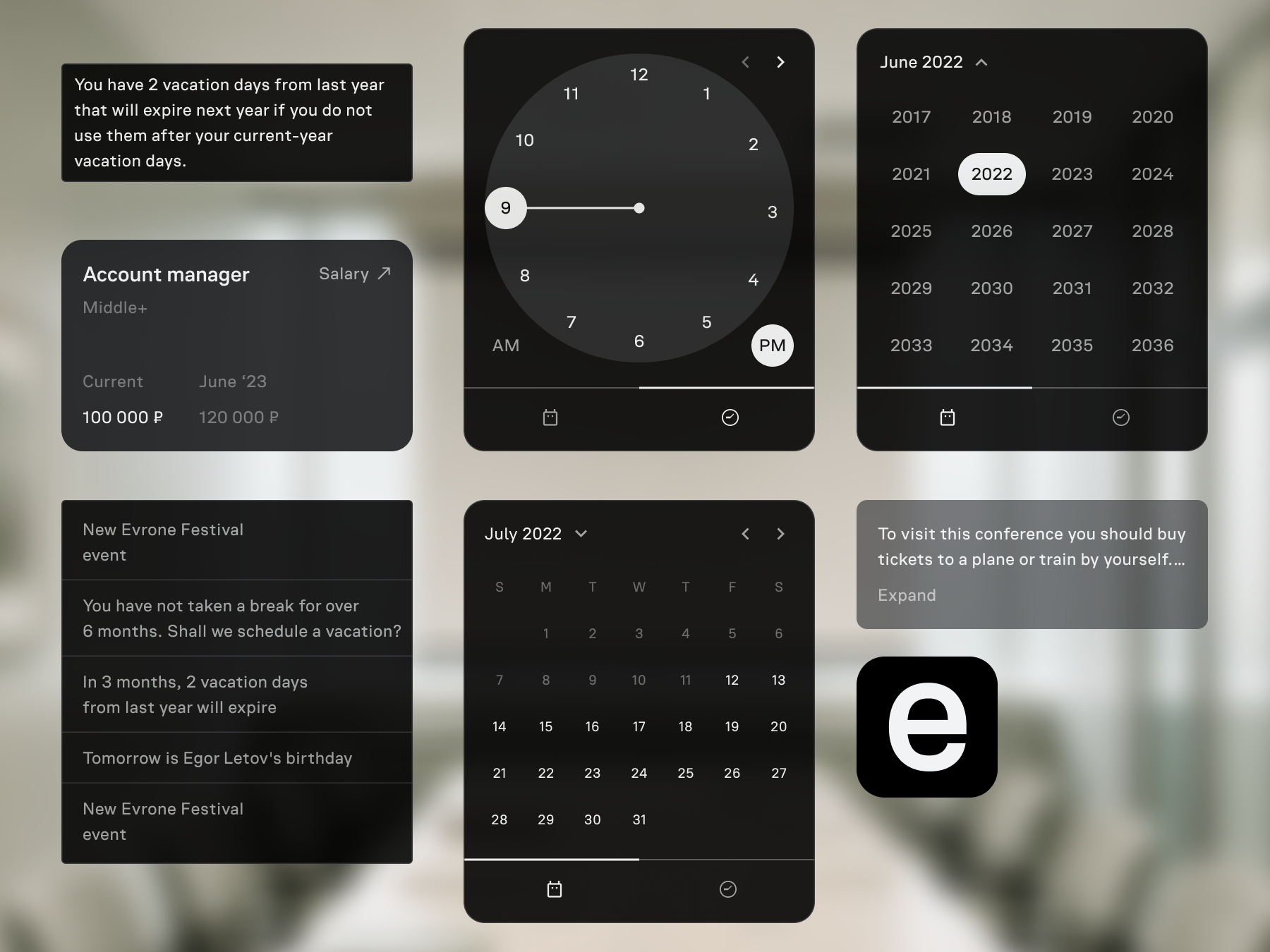
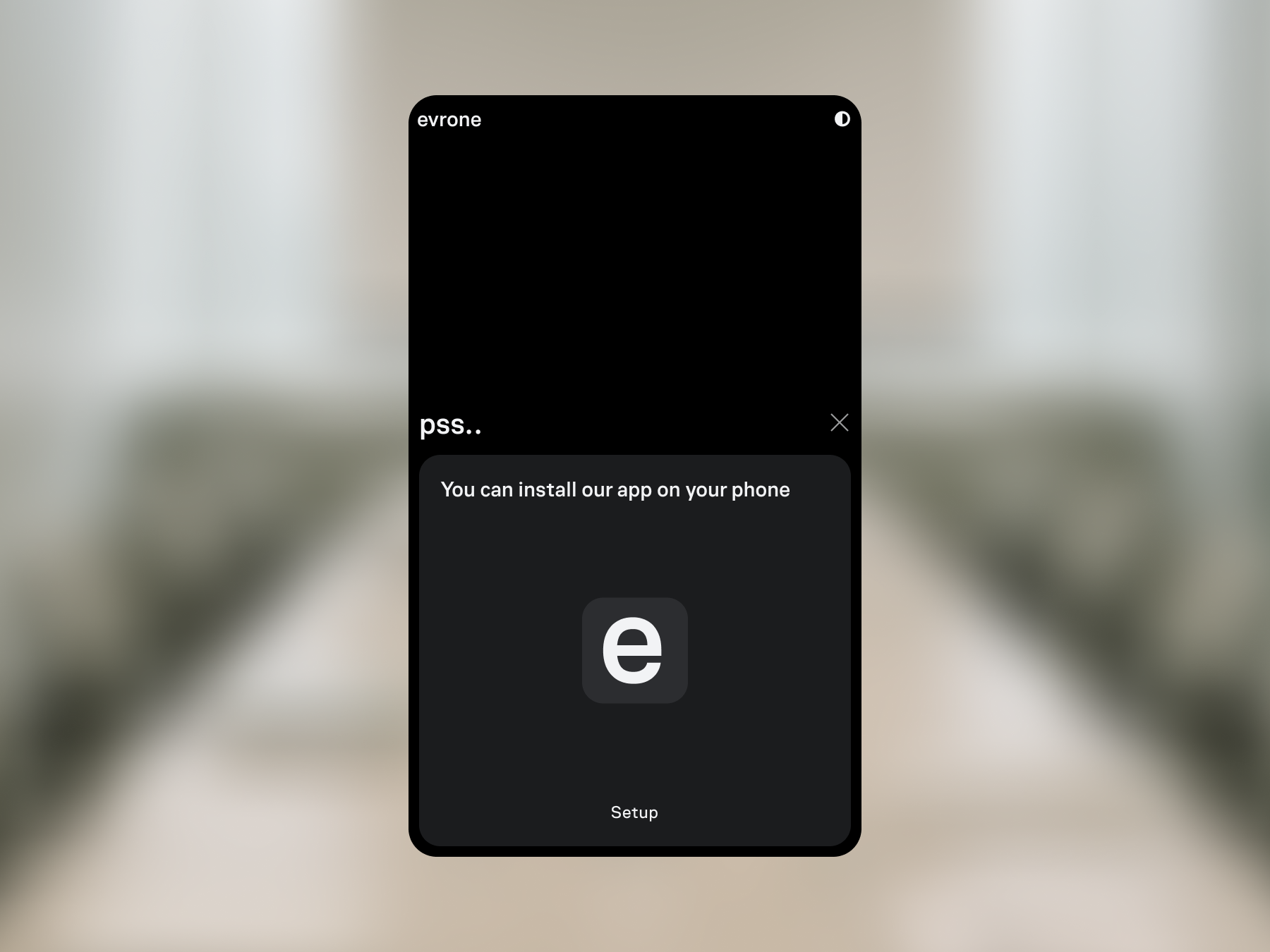
Fig. 1.Employee dashboard with finance and work sections.

Visual language

The visual language is built from a typographic logo, dark interface theme, card model, component library, overlays, status icons, and focused panels.

Its role is practical: keep the employee product compact, service-like, and readable across routine internal tasks.

2.2

Components and states

The component library defines how employee tasks appear in the product: cards, controls, status icons, hierarchy, overlays, and dark-theme rules.

Cards show the short state on the dashboard; controls open the next action; overlays keep detailed forms connected to the card that triggered them.

Finance, profile, work, event, and support flows use the same card, control, and overlay rules while keeping their own scenario details.

Fig. 3.Design system and component library.

The second component sheet shows elements used inside focused actions: dropdowns, date and time pickers, year selection, cards, tooltips, and overlay states. They support detailed tasks without leaving the component model of the dashboard.

Interface elements for focused actions: dropdowns, pickers, cards, tooltips, and overlays
Fig. 4.Dropdowns, pickers, cards, tooltips, and overlays.

Employee workflows

Employee workflows use the same pattern: a short state on the dashboard, then a focused panel when the user needs details, a request, history, settings, or confirmation.

3.1

Profile and access

Profile and access flows belong to the same employee product.

The install prompt supports the PWA version, so the employee can keep the product on the phone as a lightweight internal app. Login, password, recovery, profile fields, notifications, keys, and contact data use the same card-and-panel model as the dashboard.

PWA prompt to install the product on a phone
Fig. 5.PWA install prompt.

Login and password management is split into explicit access cards. Each card shows the current value or state and opens editing after a user action.

Fig. 6.Login and password cards.

Recovery and account-security actions stay inside the same focused flow, so the user does not move between unrelated service screens.

Fig. 7.Account recovery and security flow.

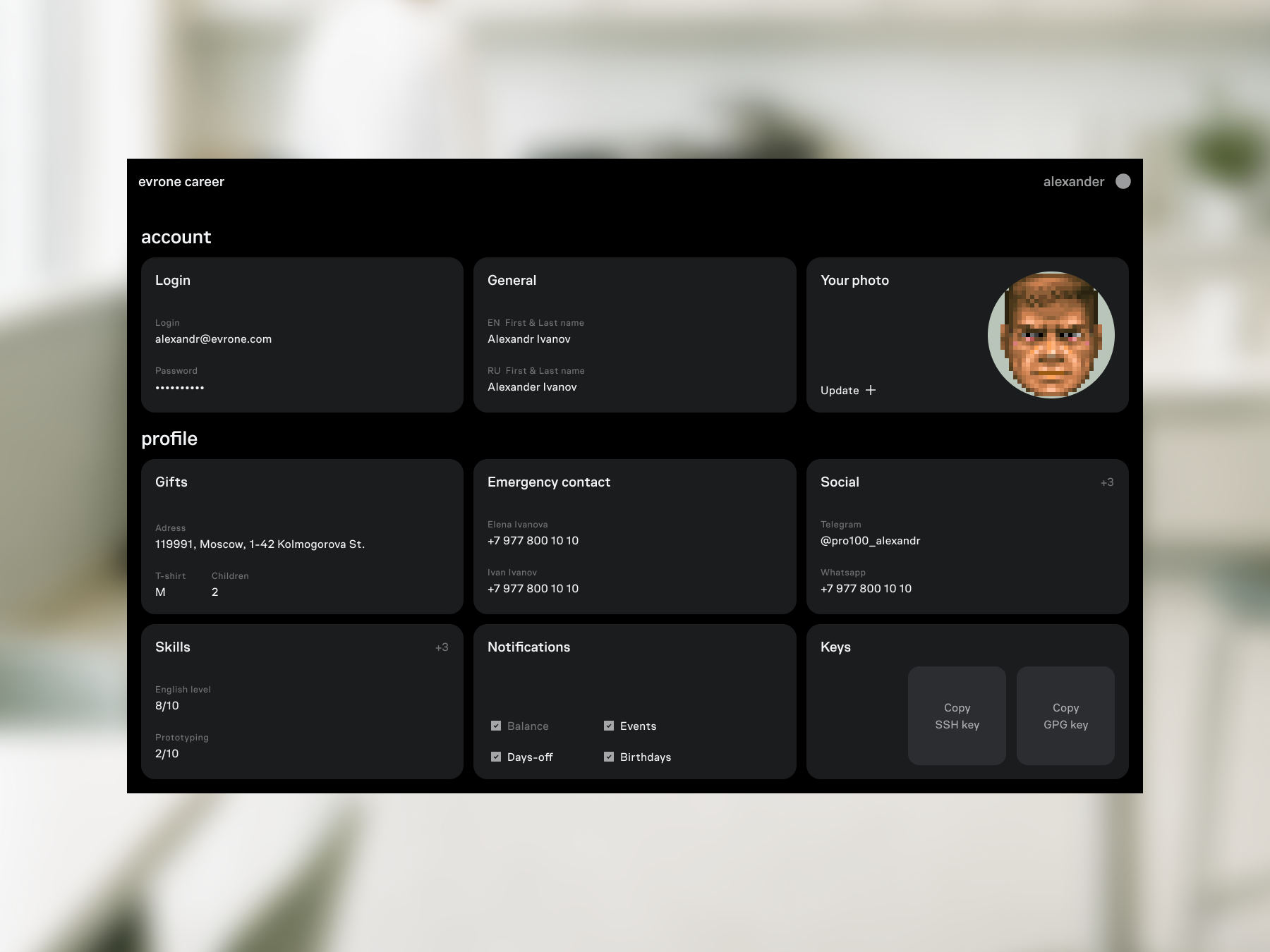
The profile combines login, name, photo, gift address, emergency contacts, social links, skills, notifications, and SSH/GPG keys in one settings area.

Account and profile settings
Fig. 8.Account and profile settings.

Profile cards group personal service data in one place: gift contacts, social links, skills, emergency contacts, and keys can be edited from the profile section.

3.2

Finance

Financial workflows start with a readable state and move to action only when the employee needs a request, history, filter, or confirmation.

Payout and reimbursement cards show amount, period, status, history, and action. The user can create a reimbursement request, attach a supporting document, and send it for processing from the same place.

Balance and benefits use the same model: current amount first, then history, source, and available action. Benefits are shown as additional company payouts for useful actions outside the employee’s base duties.

Fig. 10.Payouts and reimbursement request flow.

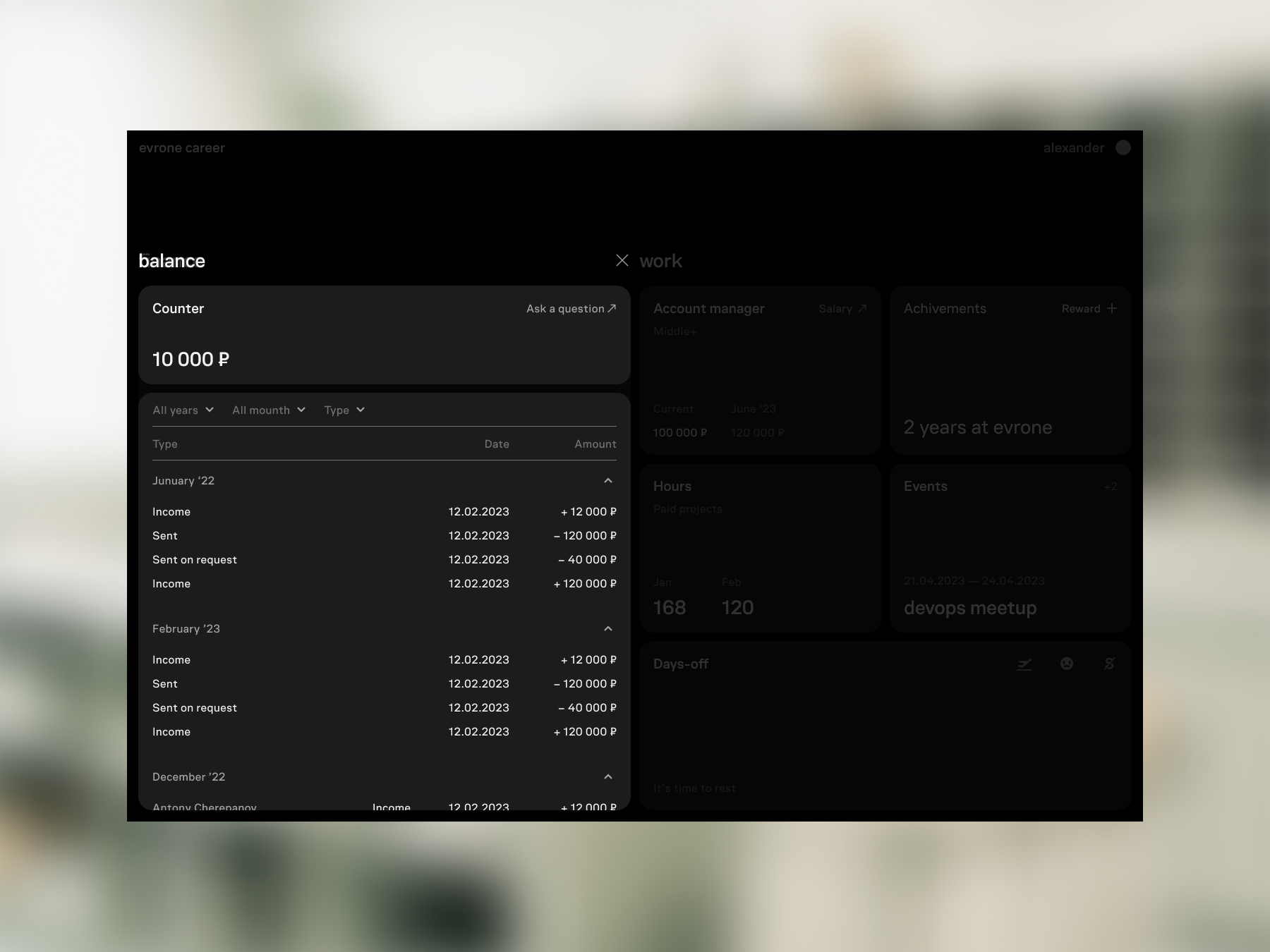
The balance card shows available money and operation history: salary deposits, withdrawals, requests, dates, and status changes.

Balance card with operation history
Fig. 11.Balance card with operation history.

Benefits are additional company payouts for useful actions outside the employee’s base duties. The card shows the available limit, explains the source of the amount, and opens the use flow.

Fig. 12.Benefits card with available limit, history, and use action.
3.3

Time and events

Work time, days off, sick leave, and events each have their own rules, but the interface keeps them in the same dashboard model.

Planning work time combines current hours, target values, editing, and confirmation. Day-off requests show remaining days, request details, validation, and confirmation. Event cards move from a short announcement to participation and related actions.

Across these flows, the employee first sees the state and opens the full form only when the action is needed.

Fig. 13.Work-time planning flow.

The day-off request shows remaining days, request details, validation, and confirmation in one leave flow.

Fig. 14.Days-off request with remaining days and confirmation.

Event cards move from a brief state to details: the dashboard keeps the event visible, and the focused panel handles participation and related actions.

Fig. 15.Event card and participation flow.

System logic

System logic defines how the same employee workflows behave across the dashboard, narrow laptop windows, and mobile states.

4.1

Responsive rules

The responsive system is defined by grid, gutters, breakpoints, card width, and maximum card height. These rules protect the card model when the interface moves from a wide dashboard to narrow screens.

Fig. 16.Responsive grid, breakpoints, and card constraints.
2026